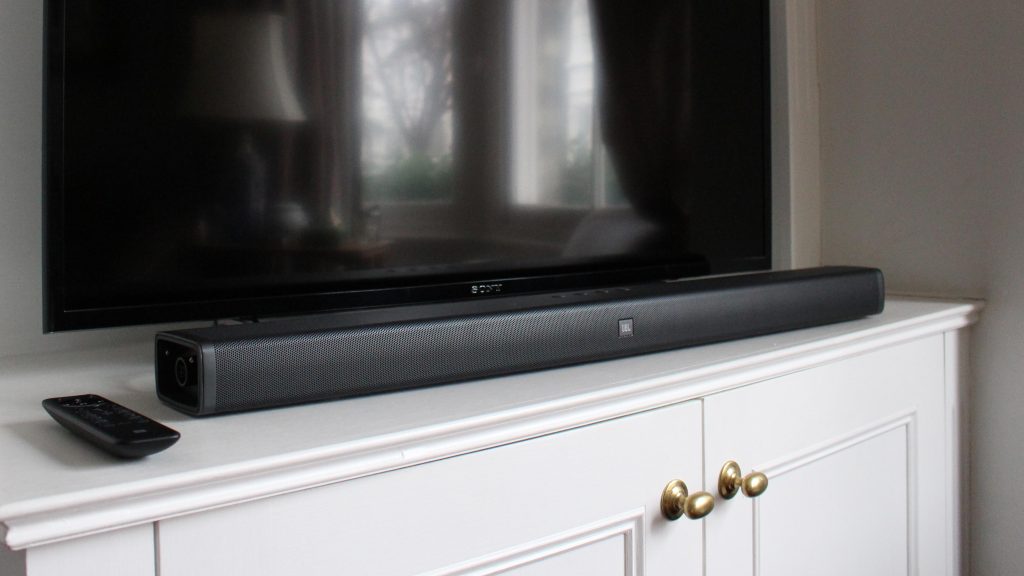
The JBL Bar 5.1 is a powerful 5.1-channel soundbar system with two detachable, battery-powered wireless surround speakers that deliver true cinematic surround sound.
Officially rated for up to 10 hours of playtime per full charge, these speakers often face complaints of rapid battery drain—sometimes lasting only 2-3 hours. This issue typically appears after 2-3 years of use but can occur earlier due to usage habits or care oversights.
Below, we explore the likely causes, daily maintenance tips to extend battery life, and options for battery replacement.
Possible Reasons for Fast Battery Drain
- Natural Battery Degradation: Like all lithium-ion batteries, the cells in the surround speakers lose capacity over time. After hundreds of charge cycles, runtime drops significantly. Users commonly report this after 2–3 years of regular use.
- Improper Charging Practices: The speakers only charge when docked to the soundbar in STANDBY mode. If the soundbar stays powered on, charging stops completely. They can also charge via the USB port on the speaker bottom, but many users overlook this or use incompatible cables.
- High-Volume or Continuous Use: Playing at maximum volume, enabling bass-heavy content, or running the speakers for long movies/games drains power faster than the advertised 10-hour rating. Bluetooth or wireless transmission adds slight extra consumption.
- Environmental Factors: Extreme temperatures (below 41°F/5°C or above 113°F/45°C), direct sunlight, or storage in hot cars damage battery chemistry and reduce efficiency.
- Dirty or Damaged Charging Contacts: Dust, corrosion, or bent pins on the docking connectors prevent full charging, leading to incomplete cycles and quicker drain.
Daily Maintenance Tips to Maximize Battery Life
Proper care can significantly slow degradation and restore closer-to-original performance:
- Charge Correctly: Always dock the surround speakers on the soundbar and switch the system to STANDBY (not fully off). A full charge takes less than 3 hours. Use the bottom USB port as a backup with the original or a high-quality 5V charger.
- Avoid Full Discharge: Do not let the batteries sit completely drained for days. Recharge promptly after use.
- Moderate Volume and Usage: Keep levels reasonable for daily listening—high volume cuts playtime dramatically.
- Clean Contacts Regularly: Gently wipe the metal docking pins and speaker contacts with a dry microfiber cloth or cotton swab. Avoid liquids.
- Store Smartly: Keep the system in a cool, dry place away from heat sources or windows. Never leave speakers in a hot car.
- Power-Saving Features: The speakers auto-enter standby after 10 minutes of inactivity and power off after 20 minutes—no audio signal. Use these built-in features.
- Firmware and Software: Although the Bar 5.1 is an older model, check JBL’s support site for any updates that might optimize power management.
Following these steps can often extend effective playtime and delay the need for replacement.
How to Replace the Battery
If your unit is out of warranty and you prefer a DIY approach:
- Search for “JBL Bar 5.1 surround speaker teardown” or “battery upgrade” videos on YouTube. These show how to carefully pry open the speaker housing (clips and screws are hidden).
- Locate the internal battery pack (typically a lithium-ion cell around 3000mAh originally).
- Disconnect the old battery and install a compatible replacement . Match voltage, connector type, and include any temperature sensor wire if present.
- Reassemble, test charging, and pair the speakers again.
With the right habits and timely maintenance, your JBL Bar 5.1 surround speakers can continue delivering immersive sound for years.
>>>New 3000mAh GSP872693-03 Replacement Battery for JBL Bar 5.1