When you take a photo, the scene looks great in the viewfinder, but when you open your gallery, the picture turns out blurry. This kind of letdown is common, yet the problem usually isn’t the quality of your phone. It’s that lighting, focus, the way you hold the phone, and the subject itself all work together to affect the final image.
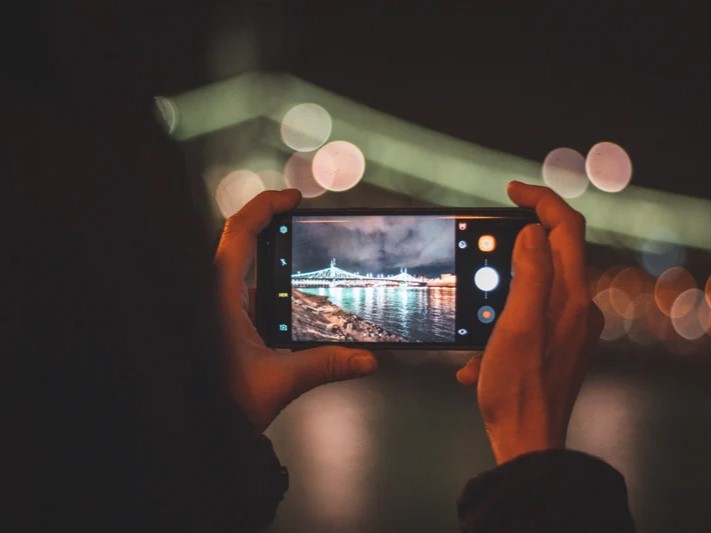
To take fewer blurry photos, you first need to figure out where the problem comes from.
Common Reasons Phone Photos Turn Out Blurry
The Phone Moved When You Pressed the Shutter
In low light, your phone needs to keep the shutter open longer to take in enough light. The longer that takes, the more even a slight movement of your hand gets recorded, and the image becomes unclear.
Shooting while walking, holding the phone with one hand, or pressing the shutter too hard can all make the phone shift at that critical moment. Many people believe their hands are steady enough, but phone sensors are small and more sensitive to tiny shakes.
The Focus Landed on the Wrong Spot
Your phone automatically decides where to focus, but its judgment doesn’t always match your intention. It might pick a closer object, a high-contrast edge in the background, or another face in the frame.
Once the focus lands in the wrong place, the background may look sharp while the person you actually wanted to capture is blurry. This is especially likely when the subject and background are close together, when the background is brighter, or when there are several people in the frame.
Low Light Forces the Phone to Sacrifice Sharpness
In dim environments, phones typically raise the ISO while slowing the shutter speed. The former tends to introduce more noise, while the latter makes the effects of hand movement and subject movement more pronounced.
To reduce noise, some phones also apply heavy smoothing to photos. While this can make the image look cleaner, it can also cost you detail, leaving skin, hair, and the edges of objects looking less sharp.
Digital Zoom Magnifies the Problem
On most phones, zooming in is essentially cropping and enlarging the original image. This can not only reduce detail but also make blur that was barely noticeable become much more obvious.
If you need to photograph a distant person or object, it’s better to move closer to your subject first, or use a phone with a dedicated telephoto lens. For most phones, shooting with the main camera at 1x usually delivers the most reliable sharpness and detail.
Fingerprints, Smudges, or Dust on the Lens
Dirt on the lens scatters the light entering the phone, making the whole image look hazy or washed out, or giving it a softened effect. This problem becomes even more noticeable when shooting lights at night.
Because the lens constantly comes into contact with fingers, pockets, and tabletops, this is also one of the easiest causes to overlook.
The Subject Moved Too Fast, or the Mode Wasn’t Right
Children, pets, sports scenes, and even a person turning around can all produce motion blur when the shutter speed isn’t fast enough.
Portrait mode, night mode, and various smart scene modes each have their own priorities. Some enhance background blur, while others focus on reducing noise first. Detail isn’t necessarily their top goal. If your subject is moving, these modes may not be the best choice.
How to Reduce Blur Before You Shoot
Clean the Lens First
Before taking an important photo, gently wipe the lens with a clean microfiber cloth. Don’t use rough tissues or the corner of your shirt, since they can leave tiny scratches.
This step only takes a few seconds, yet it can prevent many softening problems caused by smudges and fingerprints.
Look for Better Lighting Whenever Possible
You can move closer to a window, turn on indoor lights, or switch to a spot with better lighting. The more light there is, the more likely your phone can use a faster shutter speed, and the easier it is to preserve detail.
If you have to shoot in a dim environment, you can use night mode, but keep the phone steady both while shooting and until the image finishes processing. A moving subject can still turn out blurry.
Hold the Phone with Both Hands
Grip the phone with both hands and keep your elbows close to your body. When there’s a wall, railing, or table nearby, you can also rest the phone or your arms against it.
If you often shoot for extended periods or frequently take photos in low light, consider using a small tripod or a phone grip. The steadier the phone, the sharper your photos are likely to be.
Tap to Focus Manually
Don’t just point the phone at your subject and press the shutter right away. First tap the spot on the screen that truly needs to be sharp, so the phone knows exactly what to focus on.
Manual focus is especially important when the background is cluttered, brighter than the subject, or when there are multiple people in the frame. Some phones let you press and hold the screen to lock focus and exposure. If the subject moves, tap again to refocus.
Stick to the Main Camera and Use Digital Zoom Sparingly
If your phone has multiple lenses, start with the main camera at 1x. When you want a tighter composition, move closer to your subject first, or crop the photo appropriately afterward.
Using digital zoom directly is convenient, but it can reduce detail and make slight blur more noticeable.
Use Burst Mode for Moving Subjects
When photographing children, pets, sports scenes, or people on the move, press and hold the shutter button to take a short burst of shots. Afterward, pick the frame where the subject is steady and the focus is accurate.
Burst mode can’t guarantee every shot will be sharp, but it improves your chances of getting a usable photo.
What You Can Still Do After Shooting
If a photo is only slightly blurry, you can apply a small amount of sharpening with your phone’s built-in editing tools, or crop away the less sharp edges.
Sharpening should be done in moderation. Overdoing it creates unnatural bright outlines around objects and can make skin and hair look rough. A photo that’s already been taken can’t truly recover lost detail, so staying steady and focusing accurately before you shoot still matters more.
After taking an important photo, it’s a good idea to zoom in right away and check details like the subject’s edges, eyes, and any text. If you spot blur, you can immediately adjust your position, the lighting, or your focus and take another shot.
An Easy Shooting Routine to Follow
Before every shot, you can work through the following steps in order:
- Wipe the lens clean.
- Choose a spot with better lighting whenever possible.
- Use the main camera and avoid unnecessary digital zoom.
- Hold the phone with both hands to keep it steady.
- Tap the subject on the screen to confirm the focus point.
- Use a short burst when the subject is moving.
- Zoom in and check the photo right after shooting, and retake it if needed.
Most blurry photos aren’t caused by a serious malfunction. As long as you pay attention to lighting, focus, and stability, and check your shots promptly afterward, the sharpness of your photos will usually improve noticeably. Next time, before you press the shutter, spend a few extra seconds on these steps, and your casual snapshots will become far more dependable.