The Panasonic Toughpad FZ-Q1 was never meant to be a flashy tablet. It was built for field workers, inspectors, service technicians, and anyone who needed a Windows PC tougher than an iPad. Released in 2016, the FZ-Q1 featured a magnesium alloy chassis, met MIL-STD-810G military-grade standards, packed an Intel Core i5-4302Y processor, and claimed up to 9 hours of battery life.
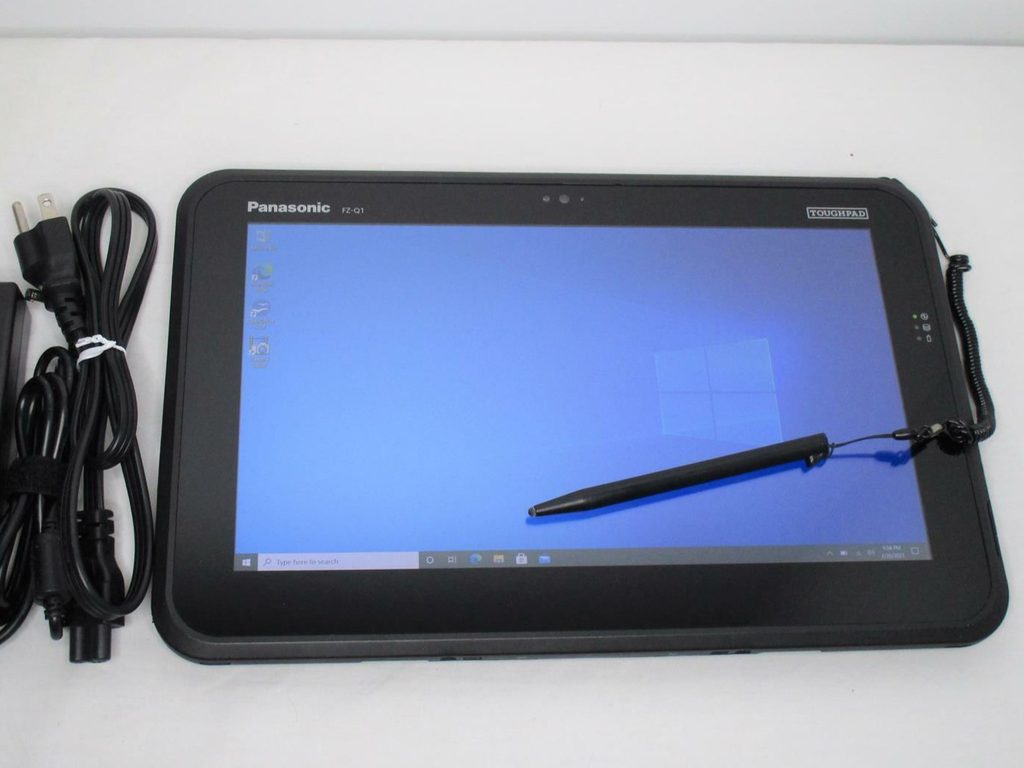
A decade later, the real question isn’t whether the FZ-Q1 was a good device—it certainly was. The question is whether it is still worth investing in today.
What Makes the FZ-Q1 Appealing?
The FZ-Q1 has qualities that older consumer tablets lack. Its semi-rugged build, fanless design, physical ports, stylus support, and optional cellular connectivity remain practical in workshops, warehouses, and vehicle-mounted environments. Panasonic also designed it with a serviceable battery and SSD, though they emphasized that this work should be performed by trained, authorized professionals.
Plus, there is a practical advantage: a used FZ-Q1 usually costs far less than a modern rugged tablet.
The Catch: Its Age Is Its Greatest Weakness
The Core i5-4302Y is a 4th Gen Intel processor. Even if 8GB of RAM and an SSD are enough for basic applications, modern Windows workloads are a completely different story.
More importantly, Windows 10 reached its end of support in 2025. The FZ-Q1‘s original hardware platform predates Microsoft’s supported CPU list for Windows 11, making it a poor fit for a fully compatible modern Windows OS.
This dramatically changes the repair equation. Swapping in a new battery restores run time, but it won’t upgrade the CPU, boost wireless standards, or solve OS compatibility issues.
How Does It Compare to Today’s Toughbooks?
Panasonic’s current TOUGHBOOK G2 is the obvious modern successor. Running Windows 11 Pro, it features an Intel Core Ultra 5 135U processor, supports up to a 2TB OPAL SSD, offers optional 4G/5G connectivity, sports a 10.1-inch 1,000-nit display, and delivers up to 15 hours of battery life.
Then there is the latest TOUGHBOOK 33. It is larger and heavier, but comes with a 12-inch QHD display, up to a 14-core CPU, Windows 11 Pro, optional 4G/5G, and dual hot-swappable batteries. On top of that, it is fully rugged rather than semi-rugged.
In other words, while the FZ-Q1 still carries rugged tablet DNA, the G2 and 33 belong to an entirely different era when it comes to performance, connectivity, security, battery strategy, and long-term support.
So, Should You Replace the Battery?
Replacing the battery makes sense if your FZ-Q1 is still in good physical condition and tied to legacy software, specialized accessories, dock mounts, or a workflow you don’t want to redesign. If the repair cost is low, a battery swap is a budget-friendly way to stretch its usable life.
However, I wouldn’t spend heavily on a motherboard repair, a screen replacement combined with a new battery, or a full overhaul. At that point, your money is much better spent on a newer rugged Windows tablet.
The FZ-Q1 remains a surprisingly durable old workhorse. But in 2026, replacing its battery is about squeezing a little more life out of an old tool, not turning it back into a modern PC.