Apple’s MacBook line-up has never been clearer, and of course, it has never been more expensive either. In 2026, you essentially have three genuine options: the budget-friendly MacBook Neo, the everyday MacBook Air powered by the M5 chip, and the high-performance MacBook Pro.
First, Consider What You Actually Use It For
The biggest mistake is buying based on ideas such as “future-proofing” or “what if I want to edit video one day”. Choose a computer that genuinely suits your daily life.
If your use mainly consists of browsing the web, handling email, writing documents, watching videos, doing simple photo editing and completing coursework, the MacBook Air is already more than adequate. If your budget is tight, the MacBook Neo should be your first choice.
If your work involves professional video editing, 3D projects, large codebases, music production, or running demanding applications for long periods, the MacBook Pro is the better fit.
If your goal is simple, namely getting a well-made Mac that runs macOS in full at a lower price, the MacBook Neo is worth considering.
MacBook Neo: The Low-Cost Gateway into the Apple Ecosystem
Apple finally has a Mac genuinely aimed at the entry-level market. The MacBook Neo is powered by the A18 Pro chip, the same family as the iPhone 16 Pro, and comes with 8GB of memory as standard. Following the price adjustment in June, the starting price is now $699.
Its strengths are clear: the full macOS experience, a Liquid Retina display, and battery life that performs well for its price bracket. Web browsing, writing, Zoom meetings, streaming and basic multitasking all remain smooth. For students or everyday users who mainly rely on Safari, Notes and Google Docs, this is a worry-free computer.
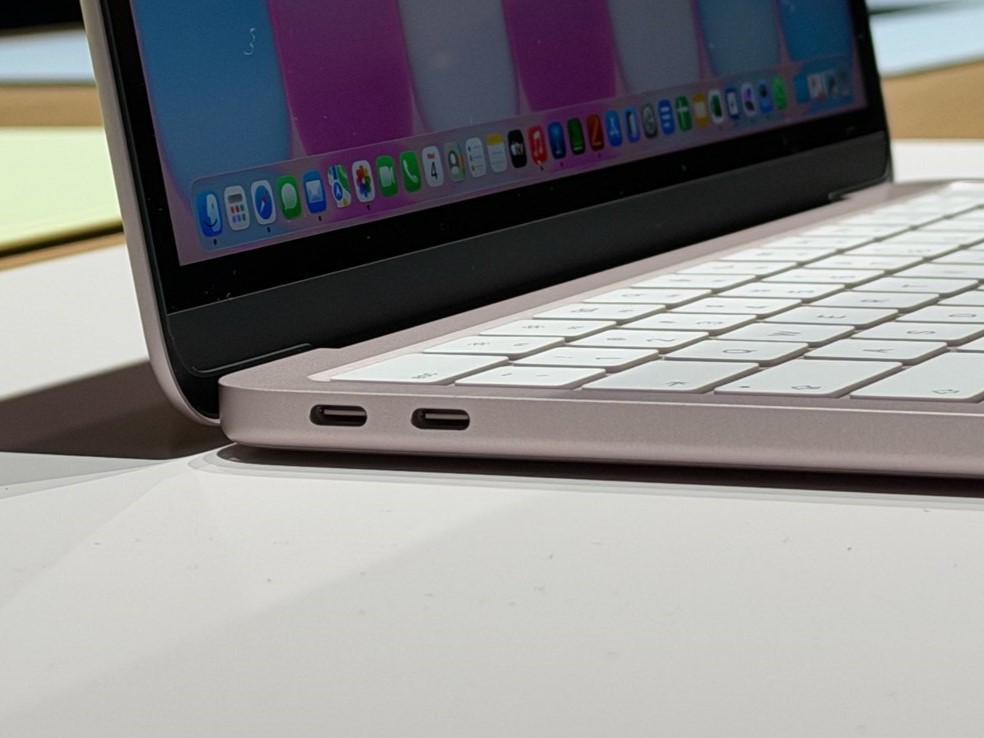
That said, its limits are equally plain. The 8GB of memory cannot be upgraded later, the selection of ports is limited, the screen is slightly smaller than that of the MacBook Air, and colour accuracy is somewhat weaker. Combined with the inherent limits of the chip’s performance, it is better suited to clearly defined, lightweight use cases.
Before the price rise, the $599 Neo was a very attractive entry-level machine. After the adjustment, it remains reasonable value, though its advantage is less pronounced than before. If your budget is modest, your needs are simple, and you want to enter the Apple ecosystem, it is a sound choice.
MacBook Air M5: The Main Choice for Most People
If you want a more complete experience without paying a premium for professional-level performance, the MacBook Air M5 is usually the more balanced option. The 2026 model comes in 13-inch and 15-inch sizes, with official starting prices after the June adjustment of roughly $1,299 and $1,499 respectively.
It has a fanless design, a thin and light body, quiet operation and consistently dependable battery life. In real everyday use, getting through a full day of work or study is not difficult. The M5 chip has enough performance to handle heavier multitasking, photo editing in Lightroom or Photoshop, light video editing in Final Cut or DaVinci Resolve, coding, and on-device AI features.
Choosing a size is straightforward as well. If portability and price matter more, go for the 13-inch model. If you want a larger display without moving into Pro pricing territory, choose the 15-inch.
Unless you regularly keep your computer under heavy load for long stretches, the Air’s fanless design is unlikely to become a problem. It is lighter, quieter and cheaper than the MacBook Pro, while its performance already covers the needs of around ninety per cent of users.
MacBook Pro: Built for Sustained Heavy Workloads
The MacBook Pro is aimed at users who need their computer to work at high intensity for extended periods every day. It features a brighter Liquid Retina XDR display, ProMotion adaptive refresh rate support, more ports, and active cooling. Even under heavy load, it maintains its performance more consistently.
The entry-level 14-inch M5 model starts at roughly $1,999. If you step up to the M5 Pro or M5 Max and then add more memory and storage, the price climbs quickly. The 16-inch model suits those who want a large screen and greater performance and do not mind the extra weight.
For most people, the Pro offers more performance than they will actually need. You spend more of your budget and accept a heavier body and fan noise, yet in everyday scenarios such as web browsing, documents, meetings and video, you may not notice much difference.
One Final Point: Timing and Upgrades
Affected by rising memory and storage costs, Apple raised prices across the entire range in June. As discounts are fairly common, it is more worthwhile to check the current market price before ordering rather than relying solely on the list price on Apple’s website.
As for configuration, it is not advisable to overspend on imagined future needs. Look first at how you genuinely work today, then decide on size, memory and storage. This approach is usually more accurate.
If you have no particular professional requirements, the M5 MacBook Air is the safest choice. The MacBook Neo suits those with a limited budget and simple tasks. The MacBook Pro should be reserved for people who truly need sustained high performance.