If your GTS-200 keeps flashing a low-battery warning, suddenly cuts out in the middle of a measurement, or refuses to turn on at all, your battery has likely reached the end of its lifespan.
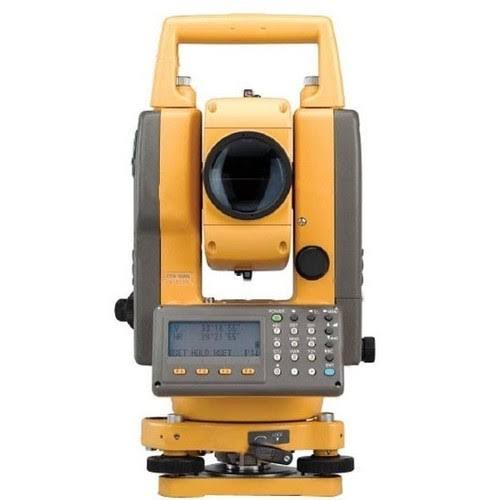
Don’t worry, you don’t need to scrap the whole instrument. Replacing the battery is straightforward, but because this equipment relies on older NiMH or NiCd battery technology, it requires a little extra care. Here is a quick, safety-first troubleshooting guide to help get your total station back up and running smoothly.
Diagnosing the Issue (Is it Really the Battery?)
Before you order a replacement, make sure the battery is actually the culprit.
- Check the contacts: Inspect the metal terminals on the battery pack and inside the total station compartment. Are they dirty, green, or corroded? Sometimes a quick wipe with an alcohol swab or a gentle rub with a pencil eraser is all it takes to restore the connection.
- Test the charger: If the charger light doesn’t come on, you might just need a new BC-19 charger rather than a new battery.
If the terminals are clean and the charger works perfectly, but the battery dies after just 10 minutes of use, it is time for a replacement.
Finding a Safe Replacement
Finding a brand-new, original battery for a GTS-200 can be difficult today. You will most likely need to choose a third-party aftermarket battery. Keep these safety tips in mind when shopping:
- Match the specs: Ensure the replacement battery is rated at exactly 7.2V.
- Consider repacking: If you want to keep your original plastic housing, some specialized electronics repair shops can repack your old battery by opening the case and soldering in fresh NiMH cells.
Safe Replacement Process
Replacing the battery on the GTS-200 is very simple, but working safely and carefully prevents damage to the instrument’s internal calibration.
1. Power Down First
Never try to remove the battery while the instrument is turned on. Turn off the total station using the power button and wait a few seconds until the internal system shuts down completely.
2. Release and Remove the Battery
Locate the battery release lever on the side of the instrument. Press or slide the release mechanism firmly but gently. The battery pack should pop loose. Carefully slide it out.
3. Inspect the Internal Compartment
With the battery out, look inside the empty slot. Make sure there is no dust or moisture. If you are working in the rain or a dusty environment, try to perform the swap inside a vehicle or under cover.
4. Install the New Battery
Align the rails on the new battery pack with the slot on the total station. Slide it in until you hear a distinct click. Give it a gentle tug to ensure it is locked into place. You definitely do not want the battery dropping into the mud in the middle of a job!
Important Safety Reminders
- Dispose of old batteries safely: Do not throw your old BC-19 battery into the regular trash. NiCd and NiMH batteries contain heavy metals. Please take them to a local electronics recycling center.
- Avoid extreme temperatures: Never leave your battery baking on a truck dashboard or freezing overnight in the cab. Extreme temperatures will rapidly degrade battery capacity.
Ready to get back to work? Replacing the battery on a Topcon GTS-200 is one of the easiest ways to breathe new life into a classic piece of engineering equipment.