Let’s be blunt: the Asus VivoBook 17 K712EA was never a premium machine. It was a budget 17.3-inch laptop built around 11th-gen Intel Tiger Lake processors—a cheap way to get a big screen, a number pad, and enough power for office work, browsing, and streaming. In 2026, that pitch still sounds useful, but the real question is whether an older budget laptop like this makes sense when newer VivoBook 17 models are widely available.
What the K712EA actually offers
Most K712EA configurations combine a 17.3-inch FHD anti-glare display with an i3-1115G4, i5-1135G7, or i7-1165G7, 8–16GB of DDR4, and a 256GB–1TB PCIe 3.0 SSD. At around 2.3kg, it feels like a typical budget 17-inch laptop: plastic, practical, and not especially portable.
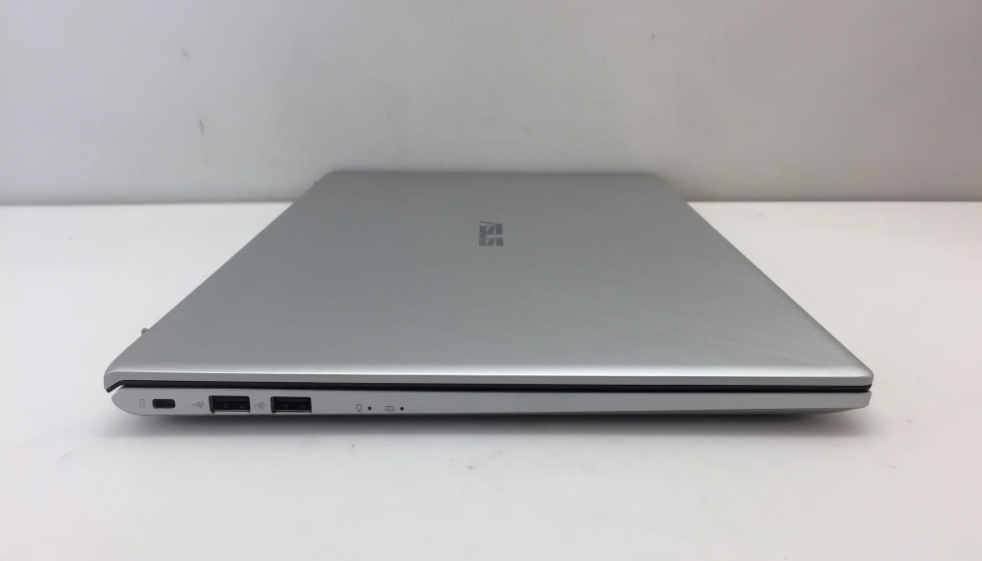
The display is fine for indoor use, but it was never a strong point. It tops out at about 250 nits and covers roughly 45% NTSC, so it is not bright enough for sunny rooms and not accurate enough for color-sensitive work. Ports are decent for the class: USB-C, USB 3.2, a couple of USB 2.0 ports, HDMI 1.4, microSD, and Wi-Fi 6.
The bigger issue is battery life. Many units shipped with a small 32Wh pack, and some got 48Wh. Either way, expect a few hours of mixed use—not a full workday. If you need to leave the charger at home, this is not the machine.
Performance depends heavily on the CPU. The i5 and i7 versions can still handle documents, tab-heavy Chrome, video calls, and light photo work. The dual-core i3, however, feels dated. For 2026 multitasking, it is a weak choice.
Where it sits among VivoBook 17 generations
Asus has reused the “VivoBook 17” name across several generations, so it helps to know where the K712EA falls.
Older F712/X712/S712/M712 models were a mixed bag. Some used 10th-gen Intel or Ice Lake chips, while others ran AMD Ryzen 3000 or 5000 processors; the Ryzen 5 5500U versions were genuinely strong value. But some of those older machines also had worse HD+ TN panels, and a few offered dual storage, which added flexibility.
The K712EA belongs to the 11th-gen Intel wave. It kept the same big-screen formula, similar weight, and similarly average display. Newer X1702/F1704/X1704/X1704VA models moved to 12th- and 13th-gen U-series chips, such as the i7-1355U or Core 7 150U. On paper, they still look familiar: a 17.3-inch FHD IPS panel, 16:9 aspect ratio, plastic build, and familiar ports. But they often carry a larger 50Wh battery and weigh closer to 2.1kg. The real improvement is under the hood—clearly better multi-core performance and efficiency. If prices are close, a newer F1704VA or X1704VA is simply the smarter buy.
Should you still buy one?
Only if the discount is steep. A used or refurbished K712EA with an i5 or i7, 16GB of RAM, and at least 512GB of storage can still work as a big-screen budget machine for everyday tasks. But do not pay anywhere near the price of a current VivoBook 17. The aging platform, small battery, and unremarkable display will make themselves felt every day.
Skip the i3 versions entirely. They are too slow for what people expect in 2026.
If you specifically need a 17-inch format, look first at current F1704/X1704-series VivoBooks, or a well-specced used 13th-gen unit. If you can live with 15.6 or 16 inches, you will usually get better battery, a brighter or higher-quality panel, and a more modern chip for similar money.