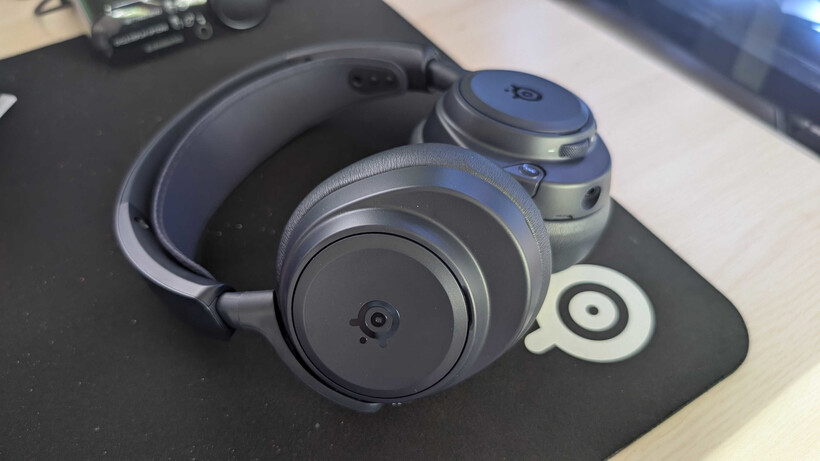
The SteelSeries Arctis Nova Pro delivers spectacular wireless sound, active noise cancellation, and a game-changing trick: a hot-swappable dual-battery system that makes downtime almost extinct. Like any high-end kit, it thrives on a little routine care. A handful of easy habits will keep that audio crisp, the fit comfortable, and the headset running strong for years.
Daily TLC in Seconds
After each session, wipe down the shell and headband with a soft, dry microfiber cloth. This whisks away skin oils and dust before they build up.
For a deeper refresh, lightly dampen the cloth with mild soapy water, then wring it out until it’s just barely moist. Dripping liquid and electronics are not friends.
Steer clear of alcohol or harsh solvents on the headset body and leatherette ear cushions. Those chemicals can eat away at coatings and the premium faux leather over time.
Cushions, Mic, and Hidden Corners
Pop off the leatherette ear cushions carefully. Give them a gentle wipe-down and let them air-dry completely before snapping them back into place.
The retractable ClearCast microphone deserves a quick once-over with a dry cloth or a soft-bristled brush. A clean mic means your teammates hear every callout, not just muffled noise.
Check the removable speaker plates and the ports underneath for stray debris. A soft brush works wonders here. If you use compressed air, keep the nozzle at a safe distance so you lift particles away without blasting them deeper inside.
Store It Smart
Park the headset on a stand or in a clean, dry spot. High heat, dampness, and direct sunlight are silent performance killers.
Keep the GameHub base station dust-free, too. Clean charging contacts mean reliable power transfer every time you dock a battery.
The Hot-Swap Superpower
Two lithium-ion batteries give the Nova Pro its near-infinite stamina. One runs the headset while the other charges in the base station. Swapping them is pure satisfaction.
Here’s the move: lift the right speaker plate from the bottom notch. Push the drained battery down and outward to pop it free. Slide a fully charged spare into the slot, paying attention to the top/bottom markings.
You have about eight seconds to complete the swap—the headset wakes up automatically. If you take a little longer, no stress; just press the power button.
Charge the Spare Battery Anywhere
The second battery charges effortlessly in the base station slot. Insert it top-side up so the symbol enters first, then gently press until it locks into place.
Traveling or separated from your GameHub? Remove the left speaker plate to reveal a USB-C port. Connect the included USB-C cable there, and you can charge the battery while it’s still inside the headset.
Avoid leaving batteries fully drained for long stretches. If the contacts ever need attention, a dry cloth or a cotton swab dampened with a little isopropyl alcohol (70% or higher) will restore a clean connection.
Squeeze Out Every Drop of Battery Life
Install firmware updates through SteelSeries GG software whenever they pop up. These often fine-tune battery efficiency and overall stability.
Keep an eye on charge levels directly on the GameHub’s OLED display or inside the software. A quick glance tells you when it’s time to rotate batteries.
If charging ever acts glitchy, start with the basics: inspect the contacts for debris, re-seat the battery firmly, or reboot your system. These simple resets solve most hiccups before you ever need to reach for support.
The Payoff
Routine light cleaning and mindful battery care keep your Arctis Nova Pro comfortable, dependable, and ready for marathon gaming. Invest a few post-game minutes, and that headset will repay you with steady, stunning performance year after year.