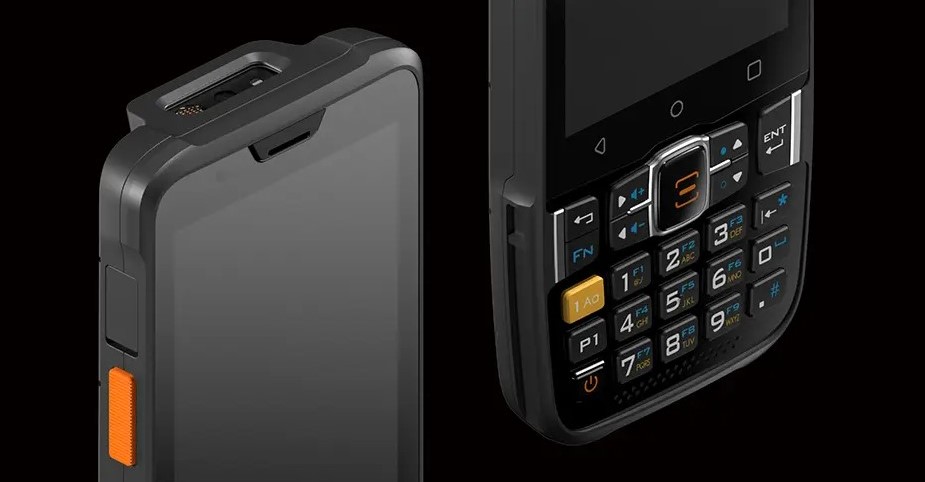
The Sunmi L2KS is a powerhouse of productivity, designed to withstand the rigors of logistics, retail, and warehouse environments. However, even the most rugged devices require consistent care to ensure they perform optimally over the long term. This guide covers essential daily maintenance and the correct procedure for battery replacement.
Daily Maintenance Tips
Proper upkeep of your Sunmi L2KS prevents hardware degradation and ensures the scanning engine remains lightning-fast.
- Clean the Scanner Window: The most critical component is the scan engine. Dust, fingerprints, or smudges on the window can cause decoding errors. Use a soft, lint-free cloth or a microfiber wipe. If necessary, dampen the cloth slightly with water or a specialized lens cleaner, but never spray liquid directly onto the device.
- Screen Protection: While the L2KS features a durable display, abrasive particles can still cause micro-scratches. Wipe the screen daily with a dry microfiber cloth to remove oils and dirt. Avoid using industrial-grade solvents or ammonia-based cleaners, as these can damage the oleophobic coating.
- Port and Contact Care: If you use a charging cradle, ensure the Pogo pins (the gold-colored contacts on the back or bottom) are free of debris. Compressed air can be used to blow out dust from the USB-C port and the speaker grilles.
- Environmental Awareness: Although the L2KS is built to be resilient, avoid leaving it in direct sunlight for extended periods or in environments with extreme temperature fluctuations, which can stress the internal electronics and the battery.
How to Replace the Battery
The Sunmi L2KS is designed with a user-replaceable battery to support multi-shift operations. Following the correct steps ensures the seals remain intact and the device stays protected.
Power Down the Device
Before attempting to remove the battery, always press and hold the power button to shut down the device completely. Removing a battery while the OS is running can lead to data loss or system errors.
Unlock the Battery Cover
Locate the battery latch on the back of the device. Depending on your specific sub-model, this is usually a sliding switch or a pair of clips. Slide the latch to the “unlock” position.
Remove the Old Battery
Gently lift the battery cover from the designated notch. Once the cover is off, lift the battery out of the compartment. If it feels stuck, do not use sharp metal tools to pry it; instead, check if there is a secondary safety lock.
Insert the New Battery
Align the gold contacts of the new battery with the pins inside the device compartment. Press the battery firmly into place until it sits flush.
Secure the Cover
Replace the battery cover, starting from the top edge. Press down firmly until you hear a click, then slide the latch back to the “lock” position to ensure the device remains water-resistant.
>>>New 5000mAh JKRA Replacement Battery for Sunmi L2KS T8A10
Best Practices for Battery Health
To extend the lifespan of your Sunmi batteries, avoid “deep discharges” where the device hits 0%. It is better to charge the device when it reaches 15-20%.