The Handheld Algiz RT8 is an ultra-rugged tablet built for the toughest jobsites, but over time, it might start feeling a bit sluggish. Don’t worry—it’s not ready for retirement just yet. This tablet was designed for longevity, but after years of drops, dust, and long shifts, performance can naturally dip.
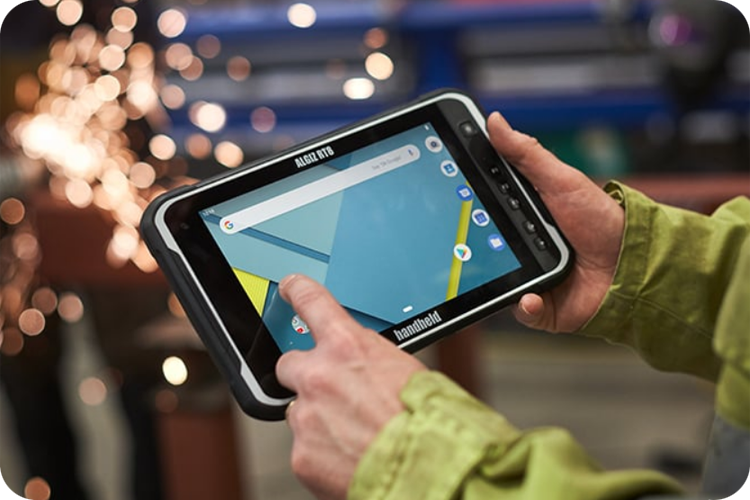
Here is a concise guide on identifying warning signs, safely swapping the battery, and optimizing your runtime. No specialized tools required—just a bit of care and common sense.
When to Take Action
Don’t wait until your RT8 dies completely to intervene. Watch for these red flags:
- Battery Issues: It only lasts half a day instead of a full shift, or it shuts down unexpectedly while still showing 30% power.
- Sluggishness: Apps lag, the home screen flickers, or multitasking feels unusually heavy.
- Overheating or Random Reboots: Especially while using GPS for mapping or high-intensity data collection.
- Slow Charging or Bulging: The device takes forever to charge or feels hot even while on standby.
If you notice two or more of these signs, it’s time to act. Nine times out of ten, a degraded battery or cluttered background processes are the culprits.
Optimize Battery Life First (Before Swapping Hardware)
Often, a software “tune-up” can restore smoothness without ever opening the device. Try these quick fixes:
- Lower the screen brightness. The Gorilla Glass display is great in sunlight, but high brightness is a major power drain.
- Close unused apps and toggle off GPS or Bluetooth when they aren’t needed.
- Clear the cache via Settings > Storage (or use the built-in Android optimizer).
- Update your OS and apps. Older versions of Android 9 or 11 can drag down aging hardware.
- Enable Power Saver Mode during long field days and avoid temperature extremes. While the RT8 is rated for -20°C to +55°C, the battery performs best when kept away from the edges of that range.
These tweaks can easily extend your runtime by 20–40%. To keep your Li-ion battery healthy, try to stay between 20% and 80% charge and never leave it completely flat for long periods.
How to Safely Replace the Battery
The best part about the Algiz RT8? Its user-accessible battery compartment. There’s no prying involved and no need to worry about voiding your warranty. You’ll need the BA820 (3.8V 8200mAh) replacement battery.
Removal Steps:
- Power off the tablet.
- Slide the battery cover lock to the Open position.
- Remove the battery cover.
- Slide the internal battery lock to the Open position.
- Gently lift out the old battery.
Installation (The Reverse):
- Slide the new battery into place.
- Push the battery lock to the Closed position.
- Replace the battery cover (ensure the seals are seated properly).
- Push the battery cover lock to the Closed position.
>>>New 8200mAh BA820 Replacement Battery for Algiz RT8
That’s it! The entire process takes less than two minutes. Just ensure you are using an identical replacement battery, and remember to dispose of the old one at an e-waste recycling center.