The Kobo Libra Colour is a highly acclaimed color e-reader praised for its ComfortLight PRO, physical page-turn buttons, and vibrant e-ink display. However, as with any device, battery-related issues—such as rapid drain or charging failures—can crop up over time.
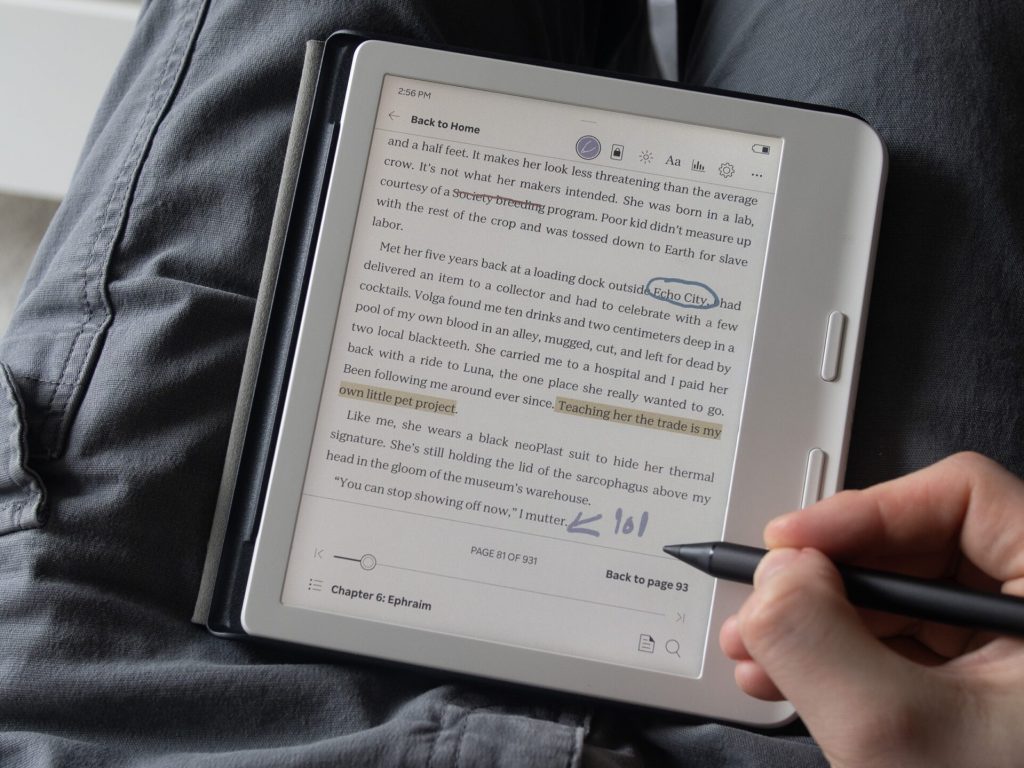
Understanding the common symptoms, potential causes, and simple fixes can help most users resolve these issues without having to send the device in for repair.
Common Symptoms
Users typically notice one or more of the following issues:
- Rapid Battery Drain: The battery percentage drops significantly after just a brief reading session (e.g., 20–30 minutes) or even after sitting idle overnight.
- Sudden Shutdowns: The e-reader powers off completely even though the battery indicator shows 50% or higher.
- Inaccurate Battery Display: The percentage jumps erratically or fails to reflect actual usage.
- Charging Issues: The device refuses to charge, the charging indicator light doesn’t turn on, or it takes hours to respond after plugging in the cable.
- Excessive Overnight Drain in Sleep Mode: The battery drains to zero even when the device is put to sleep or used with a sleepcover.
These issues frequently crop up following a firmware update, after adding a large number of new books, or after several months of regular use.
Potential Root Causes
Most reported cases stem from software or content glitches rather than hardware failure, though a small percentage of devices may require a replacement:
- Firmware or Software Bugs: Recent updates can sometimes trigger excessive background activity.
- Corrupted E-books: Poorly formatted EPUB files (especially side-loaded ones) can cause the CPU to spike, getting trapped in an indexing loop that rapidly drains the battery.
- Library Indexing: Adding dozens of books all at once forces the device to index them all, a process that is highly power-intensive.
- Wi-Fi and Display Settings: Keeping Wi-Fi constantly on, using high brightness settings, or leaving features always active accelerates power consumption.
- Charging Hardware: A faulty cable, a dirty charging port, or a deep discharge (where the battery drops too low) can prevent proper charging.
- Rare Hardware Defects: A small number of users have required multiple RMAs (Return Merchandise Authorizations) within a year, pointing to occasional hardware quirks with the battery or charging port.
Simple Solutions to Try
Most battery issues can be easily fixed at home in just a few minutes. Try following these steps:
1. Charge It Properly
Plug your Libra Colour directly into a computer’s USB port (avoid high-wattage fast chargers) and leave it to charge for at least three hours. If the battery is completely dead, it may take up to 15 minutes for the device to respond. If it still doesn’t react, try a different USB-C cable.
2. Hard Reboot the Device
Press and hold the power button for 10 to 15 seconds until the screen flashes or the device restarts. This clears out temporary software glitches.
3. Update the Firmware
Connect to Wi-Fi, go to Settings > Device Information, and select Check for updates. Kobo occasionally rolls out patches specifically aimed at optimizing battery performance.
4. Optimize Your Reading Habits
- Turn off Wi-Fi when you aren’t syncing or browsing the bookstore.
- Lower the frontlight brightness and adjust the color temperature.
- Ensure your sleepcover is completely closed to properly trigger sleep mode.
- Avoid exposing the device to direct sunlight or extreme temperatures.
5. Fix “Battery-Hogging” Books (The Community’s Top Fix)
Many users have found that converting standard EPUB files to Kobo’s native KEPUB format fixes severe battery drain. You can do this using the free e-book management software Calibre along with the KoboTouchExtended plugin:
- Add your books to Calibre.
- Convert them to KEPUB format (or run a “Modify EPUB” check first).
- Transfer the converted files to your Libra Colour. This drastically reduces background processing and indexing overhead.
6. Factory Reset (As a Last Resort)
Go to Settings > Advanced > Factory reset. Make sure to back up your side-loaded books and notes via USB first. After resetting, re-add your books gradually in smaller batches to avoid overwhelming the indexing system.
>>>New 2050mAh EVE188595QH Replacement Battery for Kobo Libra Colour
7. Calibrate the Battery (Optional)
Let the battery drain completely to 0%, charge it uninterrupted to 100%, and then use it normally for a few days. This helps the software read the battery capacity more accurately.