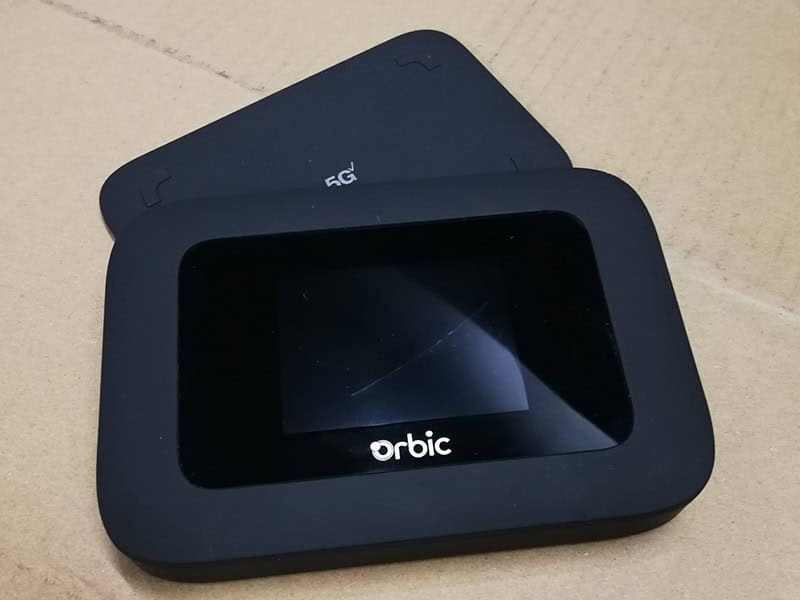
If your Verizon Orbic Speed 5G UW mobile hotspot suddenly dies after just an hour or two, or if the battery life just isn’t what it used to be, it is a clear sign that its BTE-4401 battery is degrading. The good news is that the battery in the Orbic Speed 5G UW is completely user-replaceable. As long as you follow the correct steps, swapping it out is both quick and safe.
Common Signs Your Battery Needs Replacing
- The device shuts down quickly, even after a full charge.
- The battery percentage drops rapidly or fluctuates wildly.
- The hotspot feels unusually hot or the battery begins to bulge.
- The device only works when it is plugged into a charger.
These issues typically crop up after 1 to 2 years of regular use, especially with heavy 5G data consumption or when the device is exposed to extreme temperatures.
Step-by-Step Guide: How to Safely Replace the Battery
- Power Down: Turn off your Orbic Speed 5G UW and unplug any charging cables.
- Remove the Back Cover: Locate the small notch along the edge of the battery cover. Insert your fingernail or a plastic opening tool into the notch and gently pry the cover upward to remove it. Set it aside.
- Take Out the Old Battery: Find the finger grip cutout on the battery itself. Lift the battery upward and pull it out of the compartment.
- Insert the New Battery: Align the gold contacts on your new battery with the matching prongs inside the hotspot. Slide it in gently until it sits flush.
- Snap the Cover Back On: Press the back cover firmly back into place until all the clips click.
- Charge and Test: Plug in your charger and let the new battery juice up to 100%. Turn on the device to make sure everything is up and running.
The entire process takes less than two minutes.
You can easily find high-quality, compatible BTE-4401 batteries online. Just make sure to read the customer reviews and double-check the part number before making a purchase.
Replacing the battery in your Verizon Orbic Speed 5G UW is one of the easiest ways to extend the lifespan of your hotspot and save money. With a fresh battery and proper care, your device will keep you connected with reliable, long-lasting 5G speeds on the go.