.jpg)
.jpg)


This Lenovo L25M4PF1 battery Replaces:
This L25M4PF1 battery Fits The Following Lenovo Models:
for Lenovo Yoga Pro 9i 16IPH11
Note:This is a 92.5Wh high-capacity internal battery. It is only compatible with this generation Yoga Pro9i (16IPH11). It is not interchangeable with the older Yoga Pro9 (IRP8), which uses a 75Wh battery.
Battery appearance features: M2×L4.8 screw holes on both left and right ends, fully identical to the battery shown in your picture.
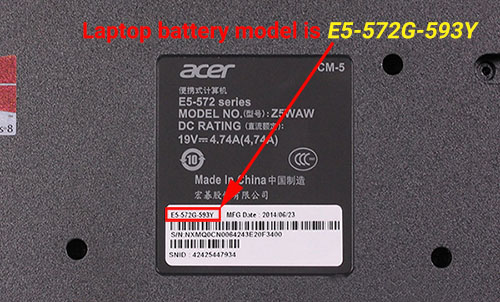
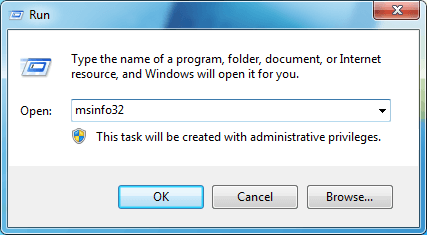
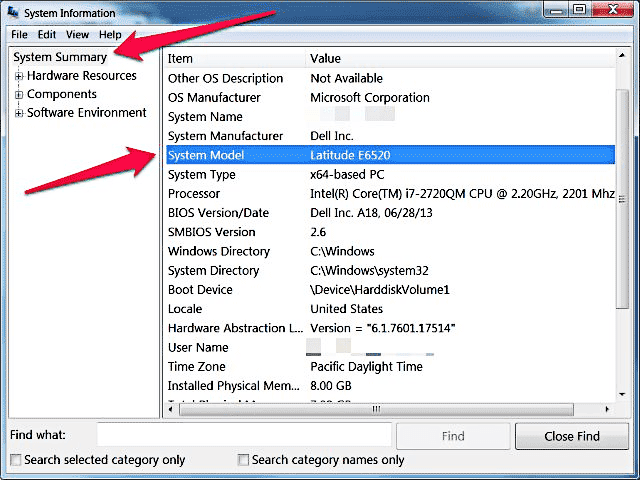
When purchasing the replacement battery, it is recommended to check the MT model on the bottom of your laptop. If the model starts with 83U9, confirm it is 16IPH11 to avoid ordering the wrong item.
This is a high-capacity lithium battery. Professional operation is required for disassembly and installation. Make sure to power off the laptop and drain residual electricity from the motherboard before replacement.
Features of Our Lenovo L25M4PF1 replacement battery:
Each Lenovo L25M4PF1 replacement battery unit is made of high-quality lithium-ion cells for longer last time.
The battery is up to standard and fully compatible with original specifications.
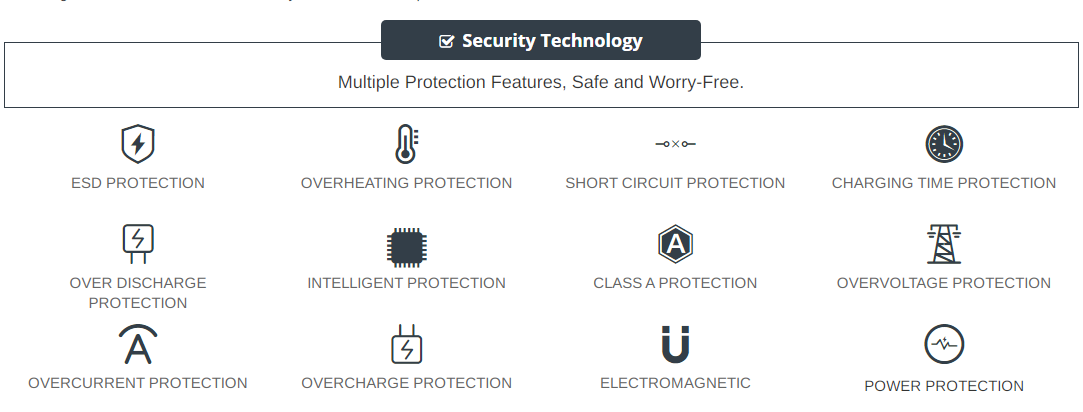
All our batteries are certified by CE, UL, ROHS, ISO9001/9002 as safe products.
The interface metal and fixed insulator of the battery are made of good materials to ensure stable current input and durability.
Why Buy From batteryone.co?
Wide Selection of Batteries:
We offer a wide variety of batteries, from standard alkaline batteries to specialized batteries for specific devices, from the everyday to the hard-to-find. So you're sure to find the right battery for your needs.
Competitive Pricing:
Our prices are highly competitive and we offer frequent discounts and promotions to ensure that our customers get the best value for their money.
Expert Advice and Support:
Our team of battery experts is always on hand to offer advice and assistance with any battery-related questions or concerns.
Convenient Online Shopping:
Our online store makes it easy to browse and purchase batteries from the comfort of your own home, with fast and reliable delivery options available.
Quality Guarantee:
We stand behind the quality of our batteries and offer a satisfaction guarantee on all of our products, so you can shop with confidence and peace of mind. 30 Days Money Back, 1 Year Warranty!
FAQs
Q: How to charge a new battery for Lenovo L25M4PF1 for the first time use?
A: New Lenovo L25M4PF1 battery pack is normally shipped in its partially charged condition. Please cycle your new L25M4PF1 battery pack by fully charge and discharge it for 3-5 times to allow it to reach its maximum rated capacity before use. (Note: it is perfectly normal for a battery to become warm to the touch during charging and discharging).
New batteries are hard for your device to charge; they have never been fully charged and are therefore "unformed". Sometimes your device's charger will stop charging a new battery before it is fully charged. If this happens, simply remove the battery from your device and then re-insert it. The charge cycle should begin again. This may happen several times during your first battery charge. Don't worry; it's perfectly normal.
Q: The Lenovo L25M4PF1 battery has been installed several times, but device can't boot up?
A: Carefully check if interfaces of the device and the battery are correctly connected. If the cause of loose contact is ruled out, please contact the after-sales customer service to ensure that the battery part number and device model are matched.
Q: How to store the L25M4PF1 battery replacement if you won’t use it for a long time?
1.It is not a feasible way for you either fully charge or fully discharge battery if long term storage. Security risks will generate if under a fully charged state, while both cells and control circuit protection lock will be deactivated if under a fully discharged state. So you’d be better store the Lenovo L25M4PF1 battery at a half fully charged state and keep it in a cool, dry place. 20 degrees Celsius is the optimum storage temperature.
2.Install and run Lenovo Yoga Pro 9i 16IPH11 battery as often as possible(at least once a month) so as to ensure its availability and avoid power drain.
Q: How to extend the life of your Lenovo L25M4PF1 battery replacement?
1.Please fully charge your device before using it for the first time. Because the Lenovo Yoga Pro 9i 16IPH11 battery replacement is normally shipped in a partially-charged state. Please cycle your battery pack by fully charge (more than 12hours) and discharge(less than 10%) for 3-5times to reach maximum rated capacity.
2.Please don’t discharge battery to 0%, which is the most common reason among faulty batteries. It will damage battery if the device usually works at a critical power level ( below 3%).
3.Charge the battery before it runs to 20%. It is scientifically justified that charging battery at 20% till 80% will extend battery life to the longest.
4.If your L25M4PF1 battery won’t be used for a long time, please charge it once a month and keep battery power over 50%, remove it from your device and store it in an antistatic bag in a cool, dry place.
Tags:Lenovo Yoga Pro 9i 16IPH11 battery,L25M4PF1 battery,Lenovo L25M4PF1 model,L25M4PF1 battery model name,Lenovo Yoga Pro 9i 16IPH11 replacement battery,replacement,battery for Lenovo Yoga Pro 9i 16IPH11,Lenovo Yoga Pro 9i 16IPH11 5930mAh battery replacement,L25M4PF1 5930mAh 15.6V,L25M4PF1 battery replacement,Lenovo L25M4PF1 model name,L25M4PF1 battery 5930mAh